SubMinder
Manage subscription due dates and costs, and get notified before renewals.


What it does
- →
Track every subscription's cost and due date in one place.
- →
Get notified before renewals to avoid surprise charges.
- →
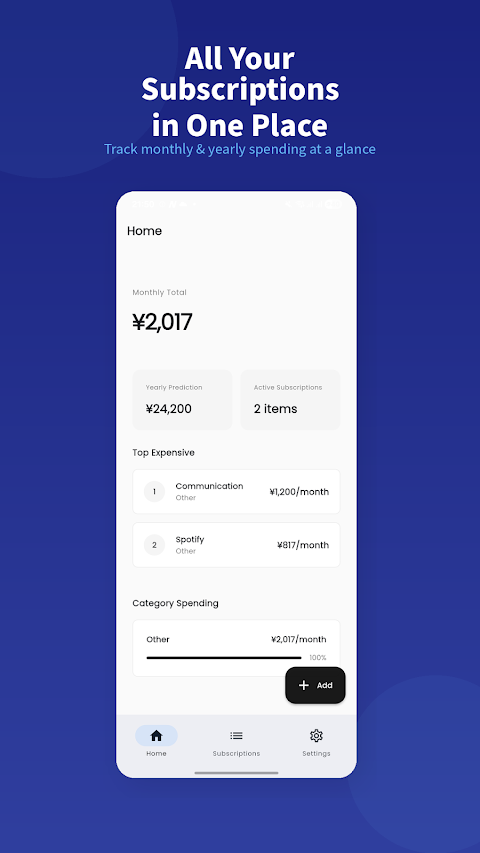
See your monthly and yearly totals at a glance.
SubMinder keeps all your subscription costs and due dates in one place. Streaming, music, cloud storage, in-app plans — they pile up quietly until you've lost track of what you're paying in total. SubMinder makes that total visible on a single screen.
See the spending you'd otherwise miss
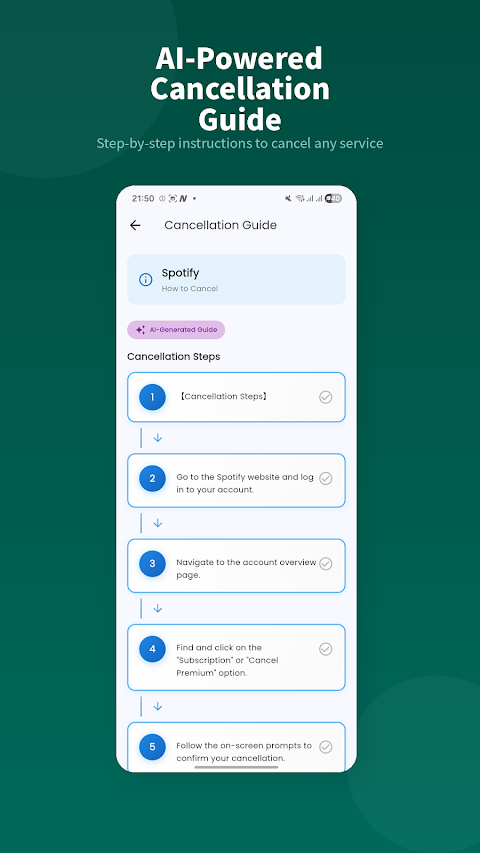
A few hundred yen a month feels like nothing, but ten of those add up fast. With everything logged in SubMinder, your monthly and yearly totals are clear at a glance — so it's easy to spot what you no longer use and decide whether to cancel.
A heads-up before every renewal
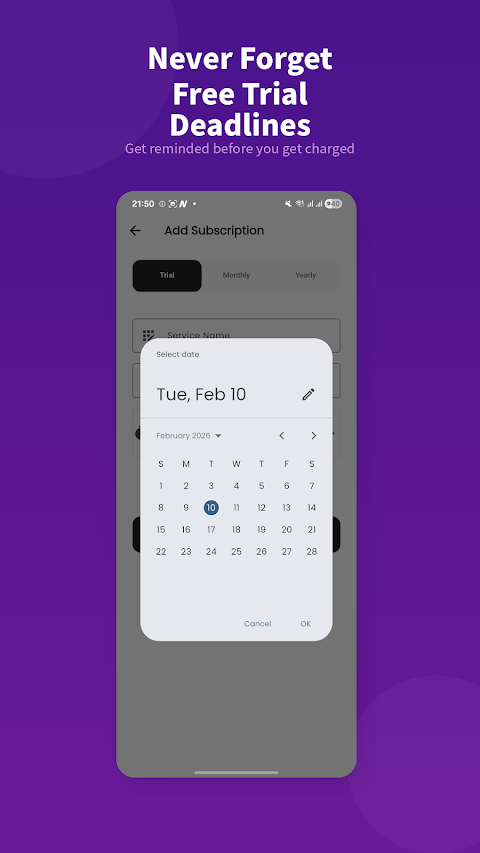
Add each service's billing date and SubMinder reminds you before it renews. No more free trials that quietly turned into charges, or a forgotten cancellation that cost you a whole year.
How it works
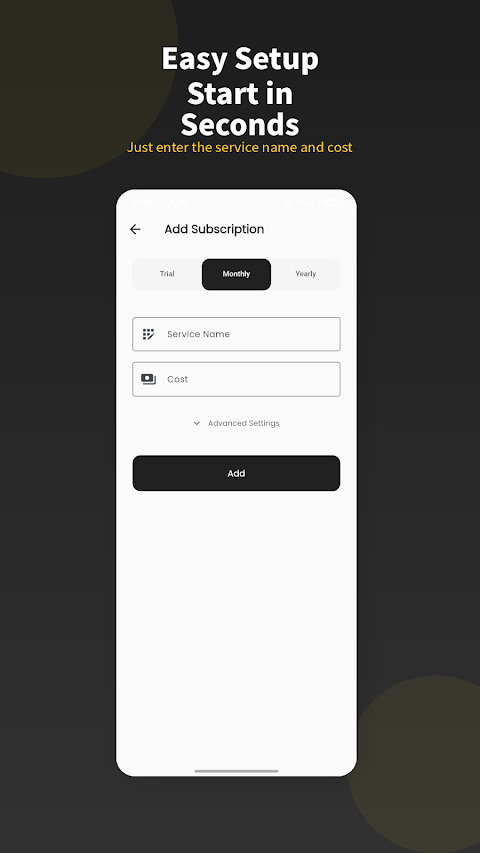
Just add each service's name, price, billing cycle (monthly or yearly) and next due date. From there SubMinder handles the totals and the pre-payment reminders for you.
Frequently asked questions
Is it free?
It's basically free to use. See the Google Play listing for details.
What kinds of subscriptions can I add?
Any recurring service — video, music, cloud storage, in-app plans and more.
Does it warn me before a renewal?
Yes. Based on the billing date you enter, it reminds you before the renewal.
 Live
Live TimeAware – Dumbphone Launcher
A simple home launcher that strips your phone down to a “dumbphone” and shows your screen time.
 Live
Live DotCityClock – Pixel Clock
A digital clock styled as retro pixel art.
 Live
Live KALCO – 24 Game Number Puzzle
A brain-teasing number puzzle where you combine four numbers to make 24.
 Live
Live ProgressDot
A widget that visualizes the progress of your day or year as dots.