QR Widget
Instantly show your frequently used QR codes from a home screen widget.
What it does
- →
Turn your go-to QR codes into home-screen widgets.
- →
Shown instantly — no tapping to open.
- →
Share Wi-Fi or contacts smoothly.
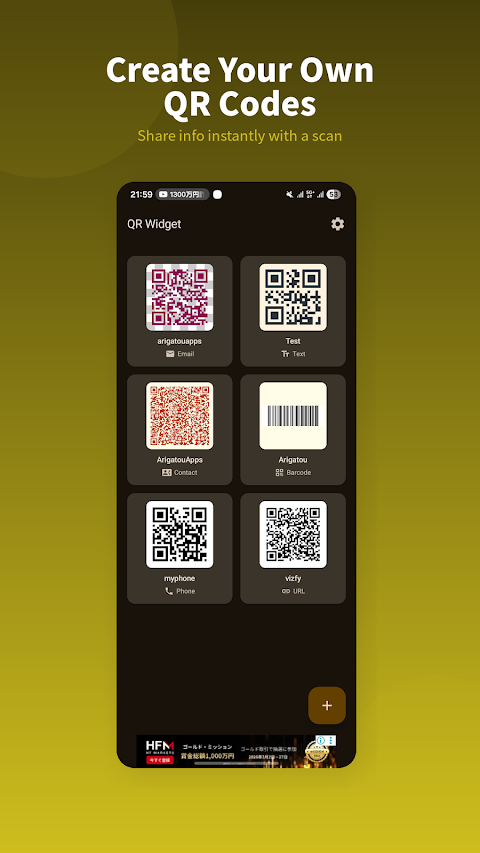
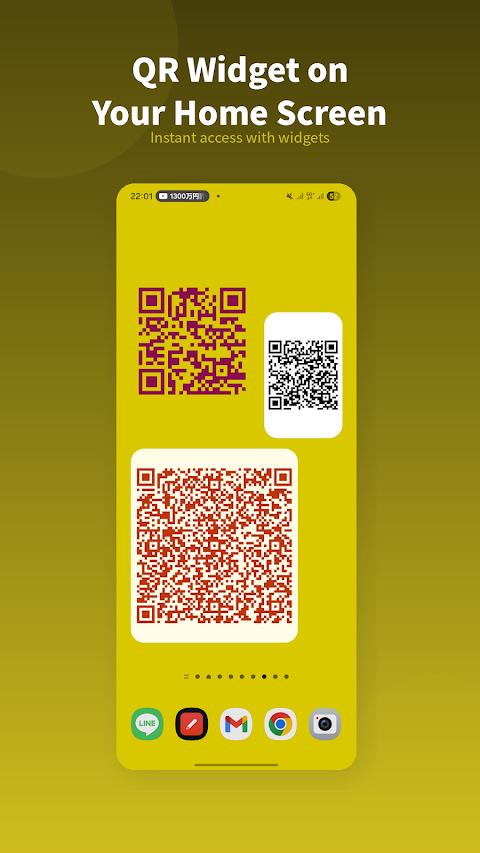
QR Widget turns your most-used QR codes into home-screen widgets you can show instantly, without opening an app. Sharing Wi-Fi, contacts or a URL becomes a one-glance action.
Keep your go-to QR codes at hand
The QR codes you used to dig out each time can live right on your home screen, ready the moment you need to show one.
Smoother sharing
Wi-Fi passwords, contacts, URLs — instead of reading them out or typing them in, just show the QR.
No tapping, just there
Because it's a widget, there's no app to wait for — the QR is simply there on your home screen.
Frequently asked questions
Is it free?
It's basically free to use. See the Google Play listing for details.
Can I use it as a widget?
Yes, it can be placed as a home-screen widget.
What kinds of QR codes can I add?
Frequently used codes such as Wi-Fi, contacts and URLs.
 Live
Live TimeAware – Dumbphone Launcher
A simple home launcher that strips your phone down to a “dumbphone” and shows your screen time.
 Live
Live DotCityClock – Pixel Clock
A digital clock styled as retro pixel art.
 Live
Live KALCO – 24 Game Number Puzzle
A brain-teasing number puzzle where you combine four numbers to make 24.
 Live
Live ProgressDot
A widget that visualizes the progress of your day or year as dots.