OneMotion Launcher
A minimal launcher centered on gestures for fast, one-motion control.


What it does
- →
Fast, gesture-first control.
- →
A minimal home with the clutter stripped away.
- →
Comfortable even one-handed.
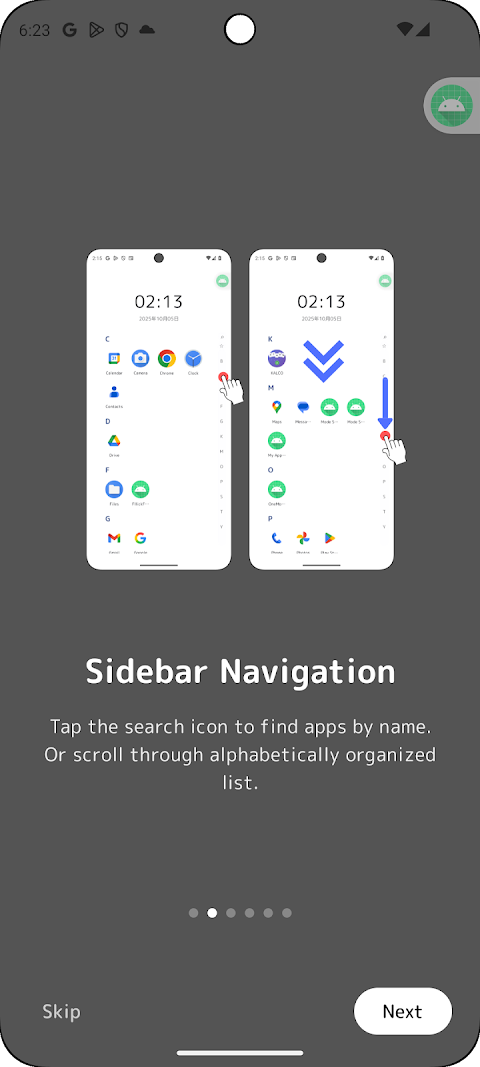
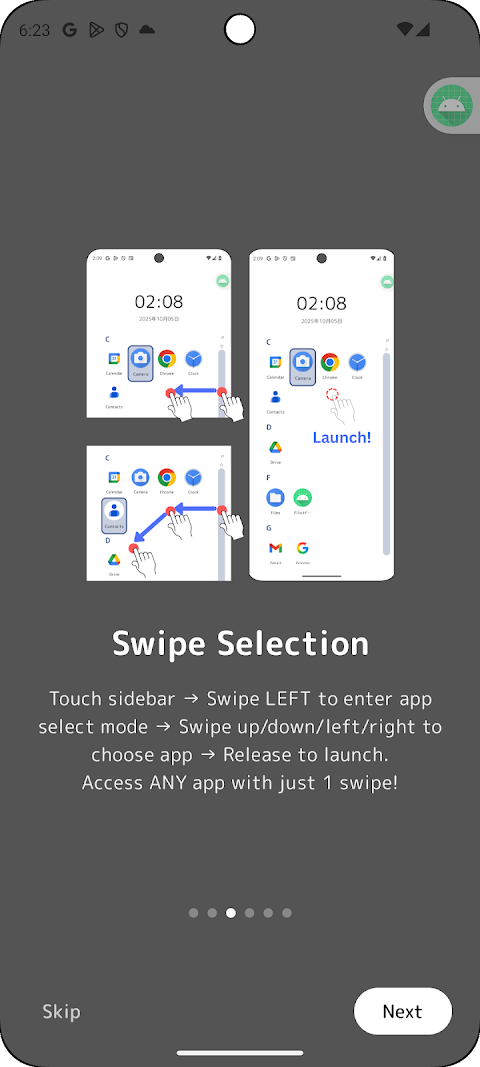
OneMotion Launcher is a minimal home launcher built around gestures. Instead of hunting for an icon and tapping, you call up apps with a single swipe or motion.
One motion, done
Assign your common actions to gestures and you stop searching the home screen. It works one-handed, almost without looking.
A home with the clutter gone
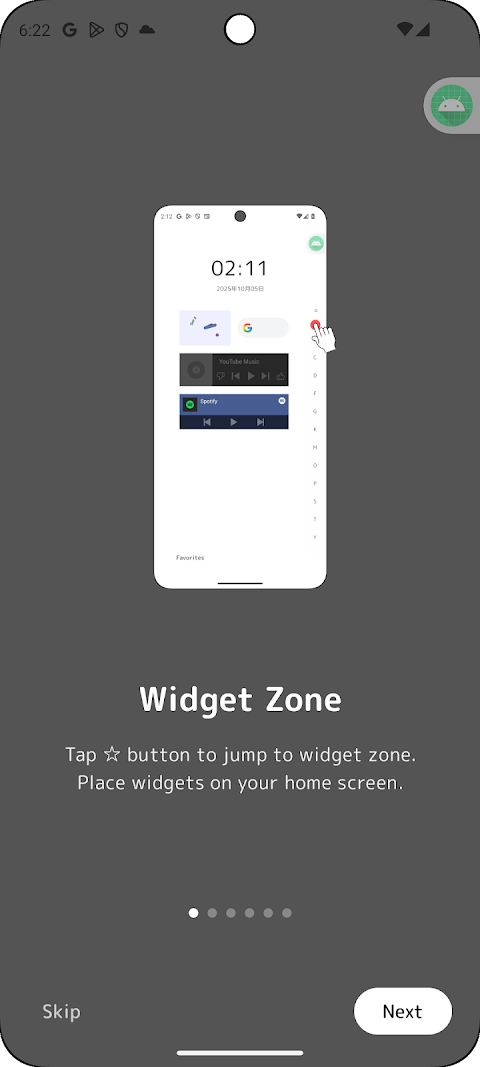
Not a home screen packed with icons, but a clean one with only what you need — a quiet design that doesn't break your focus.
Comfortable one-handed
Even on a big screen, gesture-first control stays within thumb's reach — easy to use on the move.
Frequently asked questions
Is it free?
It's basically free to use. See the Google Play listing for details.
Can I switch back to my old launcher?
Yes. You can switch back anytime from Android's default home app setting.
Can I configure the gestures?
Yes, you can map gestures to the actions you use most.
 Live
Live TimeAware – Dumbphone Launcher
A simple home launcher that strips your phone down to a “dumbphone” and shows your screen time.
 Live
Live DotCityClock – Pixel Clock
A digital clock styled as retro pixel art.
 Live
Live KALCO – 24 Game Number Puzzle
A brain-teasing number puzzle where you combine four numbers to make 24.
 Live
Live ProgressDot
A widget that visualizes the progress of your day or year as dots.